

Sharing Packages
A .kct package is a self‑contained bundle of the clothing items you choose — their models, textures and settings — that you can hand to someone else, back up, or drop into another project. Think of it as a portable "mini‑project". Packages are free.
What's inside a .kct
A .kct is just a ZIP with a known layout, so it's easy to inspect:
kct.json— a small header (format version, tool version, date, name, item count) used to recognise the package on import.manifest.kctproj— the project data for only the items you selected, with asset paths rewritten to point inside the package.assets/— the real files (.ydd, cloth physics,.ytd/.ddstextures and so on), de‑duplicated so nothing is stored twice.
Exporting a package
You can export one garment, a selection, or the whole project. All three open the same Export package window.
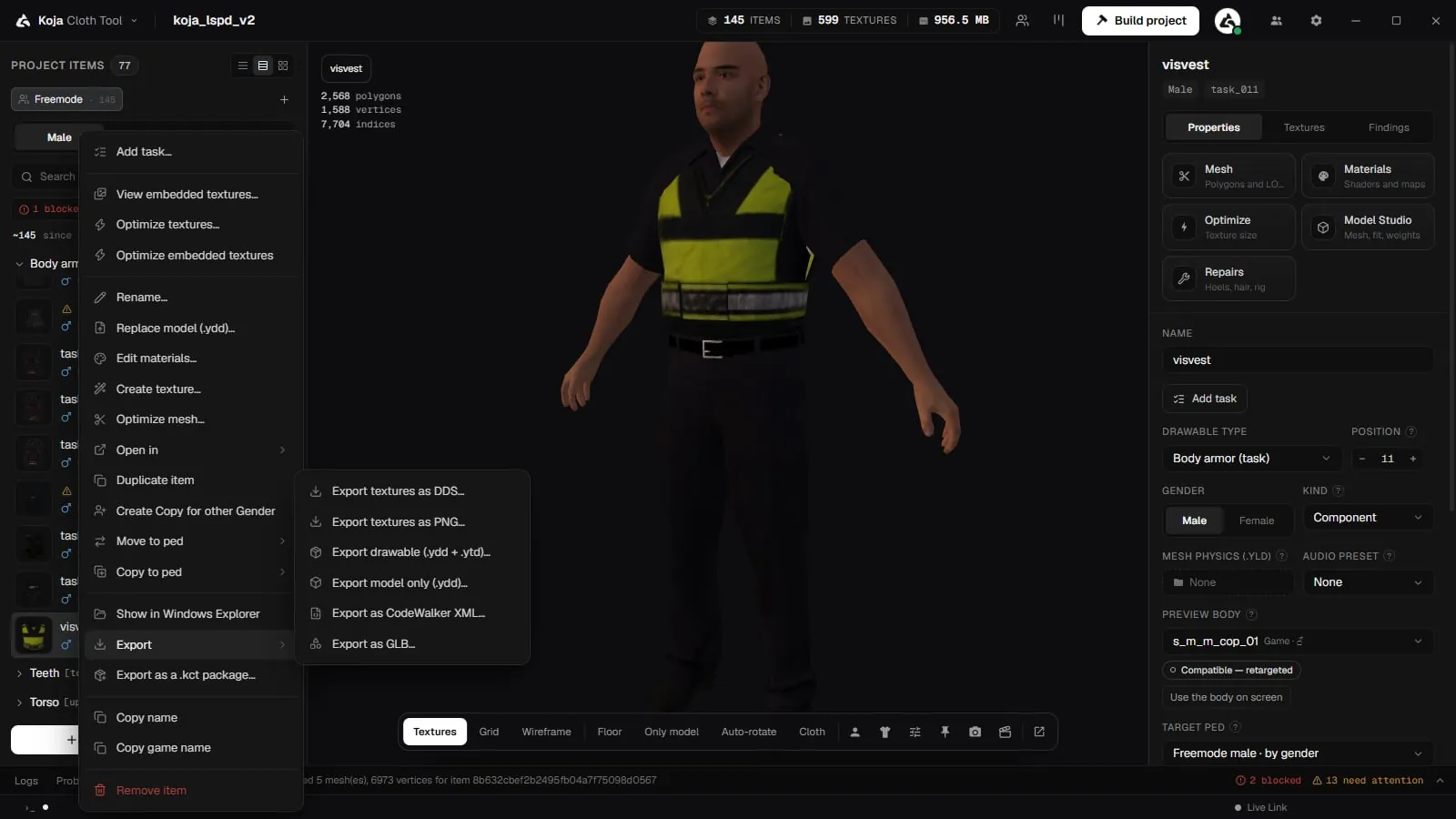
-
Open the Export package window
- One garment: right-click it and choose Export as a .kct package….
- A selection: select several items, right-click them and choose Export N items as a .kct package….
- The whole project: open the app menu (click Koja Cloth Tool at the top left) and choose Export package (.kct)….
-
Check what is ticked
Opened from the item list, the window starts with the items you right-clicked; opened from the app menu, it starts with everything. Tick or untick items, or tick a slot's header to take every item in it. Select all and Select none do what they say, and a counter shows how many are chosen. -
Export
Click Export N items and choose where to save the.kctfile. Your project is not changed.
When it finishes, the window shows the package's size and any warnings, with a button to show it in Explorer.
Escrowed resources are left out
New in 2.0.8. A .kct never includes escrowed resources, and the export warns when it leaves them out. An escrowed resource is licensed to the buyer's own server key and may not be passed on; the recipient could not start it anyway and needs their own copy from the seller.
Importing a package
- Into the open project: on the item list, open the arrow next to Import → Other formats → Koja package (.kct)…. The package's items are added to the project you have open, and a report shows what came in and any warnings.
- As a new project: on the Home screen, open the import menu → Other formats → Import Koja Cloth Tool package (.kct). Choose the file, a New project name and a Location, then click Import.
Because the package carries its own assets, an imported .kct is fully self‑contained — the person you got it from doesn't need to send anything else.
Typical uses
- Share a few garments with a teammate without handing over the whole project.
- Reuse items — build a library of favourites and pull them into new packs.
- Back up a subset of a project before a big change.